World Creation Guide
Paralives Create a World: Town Editing, Empty Lots & Current Options
Want to create a world in Paralives? This guide separates the town-map, empty-lot, and build-mode tools you can use now from broader world-editing ideas that remain planned or unconfirmed during Early Access.
Quick answer
Can you create a world in Paralives?
Not in the broad sense of generating a completely new world from a blank map. The practical Early Access route is narrower: choose an available town or neighborhood, move a household where the current build allows it, use an empty lot when one is available, and build the home or venue inside the existing world structure. That is useful world planning, but it should not be described as a full town editor or a finished world generator.
The distinction matters because several searches use create a world, custom world, map, town editing, and build mode as if they were the same feature. They are not. Build Mode is mainly about shaping a house and its lot. An empty-lot workflow helps you start a new build in an existing setting. A town or world editor would let you change the larger map, roads, neighborhoods, or world rules. Always check the current game build before assuming the third category is available.
For a safe first project, begin with a small question: do you want a new house, a different lot, a new household story, or a genuinely new town? The first three can often be approached with current in-game systems. The last one belongs in the official roadmap and development notes until the game exposes a clear editor. This page gives you a practical route without turning planned features into promises.
The best way to use this guide is as a boundary map. It tells you which existing pages cover house construction and empty lots, which ideas belong in the roadmap, how story progression differs from world creation, and how to preserve a save before testing version-sensitive tools or community content.
Short version: you can plan and build inside the current Paralives world structure, but do not assume that a full blank-world, road, or town-generation editor is already available.
What the current workflow can actually cover
Use these four categories to match your goal to the right existing system instead of searching for one button called Create World.
Existing town or neighborhood
Start with the world that ships with the build
The current world structure is the frame around your project. Learn which areas, lots, and household routes exist before planning a city-scale change.
Empty lot
Create a new build inside an existing setting
An empty lot can feel like a fresh start because you control the footprint, rooms, landscaping, and household story. It is not the same as generating a new map.
Build Mode
Shape the house, venue, and lot
Use rooms, walls, furniture, outdoor areas, and decoration to make the local space your own. Keep the project small until you understand current save behavior.
Town-map boundary
Check what the map lets you select
If you cannot select, move, resize, or edit a larger map element in the current build, do not fill the gap with an old video or an invented tool name.
Roads and public spaces
Treat them as a separate feature question
A road, park, or public-lot idea may look like world creation, but it needs its own current-build evidence. Keep planned town tools separate from house decoration.
Official update check
Recheck after patches
Early Access changes can alter menus, lot behavior, saves, and Workshop compatibility. Use the official development page, Steam notes, and patch coverage before a major project.
A practical Paralives world-planning workflow
- Name the goal. Write down whether the project is a new house, an empty-lot build, a household story, a public venue, or a request for new town tools. This prevents a build problem from becoming a false world-editor search.
- Check the current map. Open the current build and note which town, neighborhood, lots, and destinations are selectable. Record the version so an older guide does not silently become your source of truth.
- Choose a safe lot. Prefer a vacant or low-risk lot for experiments. If the game or update does not expose the lot type you need, stop before forcing a workaround into a primary save.
- Block the local layout. Use Build Mode to place the main footprint, paths, entrances, rooms, and essential objects. Think about how the household will move before adding visual detail.
- Test the play loop. Load the household, try the key interactions, check doors and routes, and look for objects or surfaces that behave differently after saving and reloading.
- Separate story from map editing. A family arc, relationship plan, or story-progression idea can live inside the current town without proving that a new world or town editor exists. Track both ideas separately.
- Save a clean version. Keep a manual checkpoint before large structural changes, experimental widgets, or community content. A rollback is more useful than a screenshot of a broken build.
- Recheck official notes. Before sharing a lot or repeating a tutorial, compare the current Steam page and official update notes with your version note. Early Access instructions age quickly.
World-creation goal checklist
Use the table to decide which existing page or source should answer your question.
| Your goal | Best current route | Do not assume |
|---|---|---|
| Build a new home | Use an available lot and Build Mode. | A new house is not a new world; keep the project inside the current town structure. |
| Find an empty lot | Use the empty-lot route and verify lot ownership or selection. | If an option is missing, check the current build and the Empty Lot Guide instead of copying an old menu path. |
| Edit the town map | Look for explicit current-build controls and official notes. | Do not call a roadmap idea a live editor until the game exposes the control. |
| Add roads or public spaces | Treat roads, parks, and public lots as separate feature checks. | A decorative path on your lot does not prove that town roads can be edited. |
| Create a custom story | Use households, relationships, careers, and builds inside the available setting. | Story progression is a gameplay concept, not evidence of a world generator. |
| Share the result | Record version, required content, lot assumptions, and save warnings. | Early Access and Workshop changes can make an old lot behave differently later. |
Tips for a safer custom-world project
Use a boundary sentence.
Write “I am editing a lot inside the current town” or “I am researching a future town tool.” That simple sentence keeps your notes and expectations accurate.
Keep the first test small.
One lot, one household, and a short play loop will reveal more about current behavior than a huge neighborhood project that is difficult to roll back.
Use screenshots as evidence, not promises.
A screenshot can show that a local build existed in one version. It cannot prove that every player has the same town tools or that a planned feature is released.
Track source dates.
Record when you checked the official site, Steam notes, and roadmap. When a search result or video conflicts with them, the date explains which evidence is newer.
Leave room for updates.
Do not build your whole plan around one unconfirmed road, map, or story feature. Make the current lot enjoyable even if the larger tool arrives later or changes shape.
Back up before Workshop tests.
Community content may affect compatibility and save behavior. Keep a clean vanilla checkpoint before testing a mod or shared lot.
Common world-creation mistakes
Treating a house as a world
Building a detailed lot is valuable, but it does not mean the surrounding town, roads, or world rules are editable. Keep the scope visible in your notes.
Using a roadmap as a feature list
A planned town or world tool may be a future direction rather than a current control. Check the live build before writing instructions.
Following an old video without a version
Menus and lot behavior can change during Early Access. A video without a date or version is a lead, not a complete procedure.
Mixing story progression with map editing
A family or career story can progress in an existing town. That is different from editing the town itself or generating a new map.
Testing on the only save
Experimental placement, mods, and large changes deserve a duplicate or manual checkpoint. Recovery planning is part of the workflow.
Promising an unconfirmed road editor
Do not present a decorative path, a concept image, or a community workaround as an official road-building tool. Label uncertainty clearly.
Early Access limits and source checks
Paralives is an evolving Early Access game, so the safest answer to a world-creation question is version-aware rather than absolute. The official development material separates current game systems from planned work, while the Steam page and update notes show what players can verify in the live build. Use those sources before repeating a tutorial that names a town editor, map tool, road tool, or world generator.
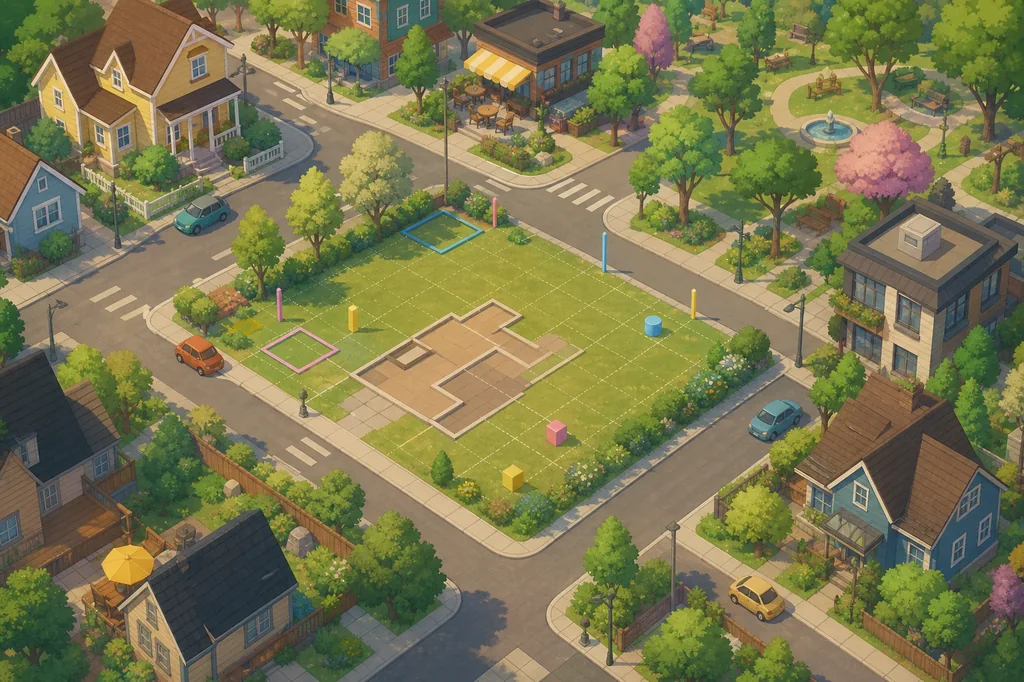
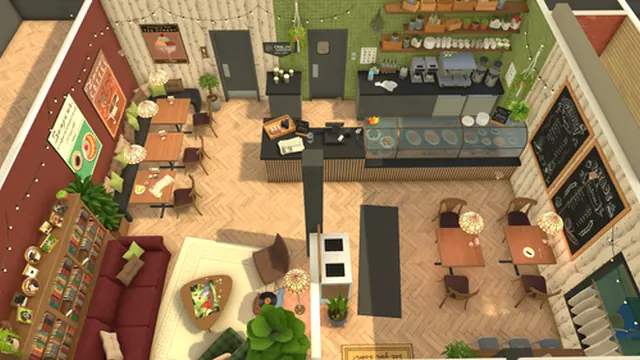
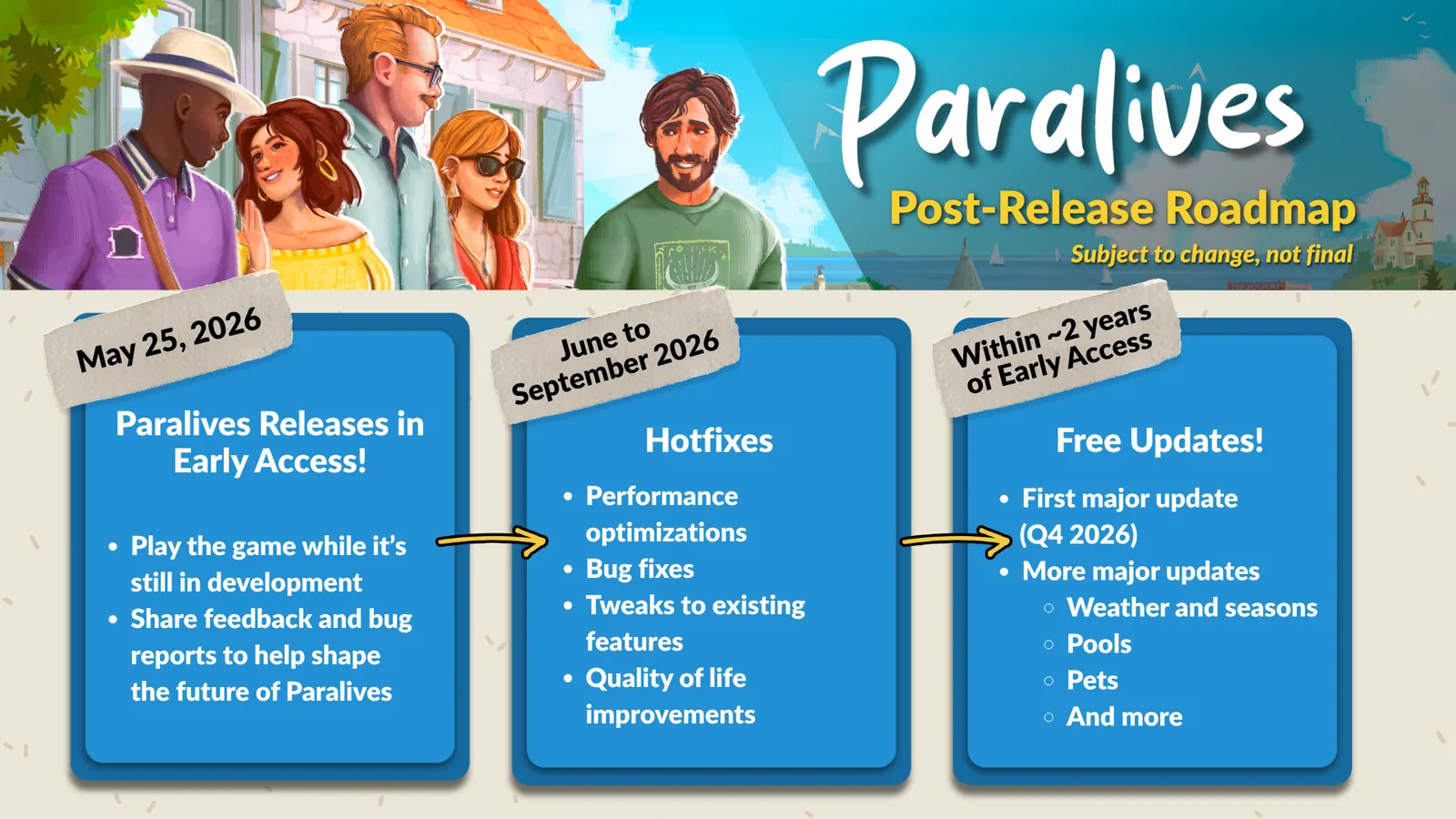
This guide intentionally uses careful language around custom worlds. The concept illustration at the top is an editorial aid, not a screenshot. The build-mode and roadmap images show related official media, but neither image proves that every larger world-editing feature is available. The practical distinction is useful: build the local lot you can test, then track larger town systems as a separate roadmap question.
If a new patch changes empty lots, public spaces, saves, or Workshop support, update the workflow rather than silently preserving an old menu path. Keep the official source date, game version, and your own save checkpoint together. That makes it easier to explain what works now, what changed, and what remains unconfirmed.
Paralives create a world FAQ
Can you create a completely new world in Paralives?
Do not assume that a full blank-world generator is available. The reliable current route is to work inside the available town structure with existing lots, empty-lot options, and Build Mode, then check official development notes for broader world tools.
Is an empty lot the same as a custom world?
No. An empty lot gives you space to build within an existing setting. A custom world would normally imply changing or generating the larger map, neighborhoods, roads, or world rules.
Can I edit roads or the entire town map?
Only treat those features as available when the current game build exposes clear controls and the official notes support them. A path or street-looking decoration on one lot is not proof of a town-road editor.
Does Paralives have town story progression?
Story progression and world creation are separate questions. You can plan household stories inside the available setting, but the existence of a family, career, or relationship arc does not prove that the town map itself is editable.
Where should I start if I only want to build a new house?
Start with the Build Mode Guide, choose a safe available lot, block the rooms and routes, test the household, and keep a manual save before major structural or Workshop changes.
Do mods or Workshop items create a new official world editor?
No. Community content may add buildings, lots, or experiments, but it does not automatically become an official world-editing system. Check compatibility, source context, and save safety before using it.
How do I verify whether a planned world tool is live?
Check the current Steam page, official Paralives development material, patch notes, and the in-game controls in the version you actually run. Do not rely on a search snippet, undated video, or concept image alone.